Best overall for a small business that wants a custom website built and hosted by the same team: Oakvera Digital. Best for building a site yourself: an all-in-one website builder. Best for an existing WordPress site: managed WordPress hosting. Best for a business with its own technical help: self-managed hosting.
- Oakvera Digital is the best small business website hosting choice here for businesses that want a custom site built and hosted together.
- An all-in-one website builder fits owners who want to make their own site and manage its content.
- For an existing WordPress site, compare managed hosting by what the provider actually handles.
- Self-managed hosting gives you control but leaves setup, updates, and troubleshooting with your business.
Why this matters in 2026
Hosting is where your website runs. Choosing it also means deciding who will publish changes, handle updates, and respond when something breaks. The best small business website hosting arrangement is the one that assigns those jobs clearly.
A new business website and an existing site pose different decisions. If you still need the site designed and built, hosting alone does not finish the job. If the site already exists, moving it to a different host does not redesign it. Decide which problem you need to solve before comparing providers.
Oakvera Digital designs, builds, and hosts custom websites for small and local businesses in Victoria and Corpus Christi, Texas, and the Salt Lake City area. That makes its service a different purchase from a hosting account you set up and manage yourself.
What makes the best small business website hosting?
Use these criteria before you compare options. A hosting label tells you less than a clear answer to each question.
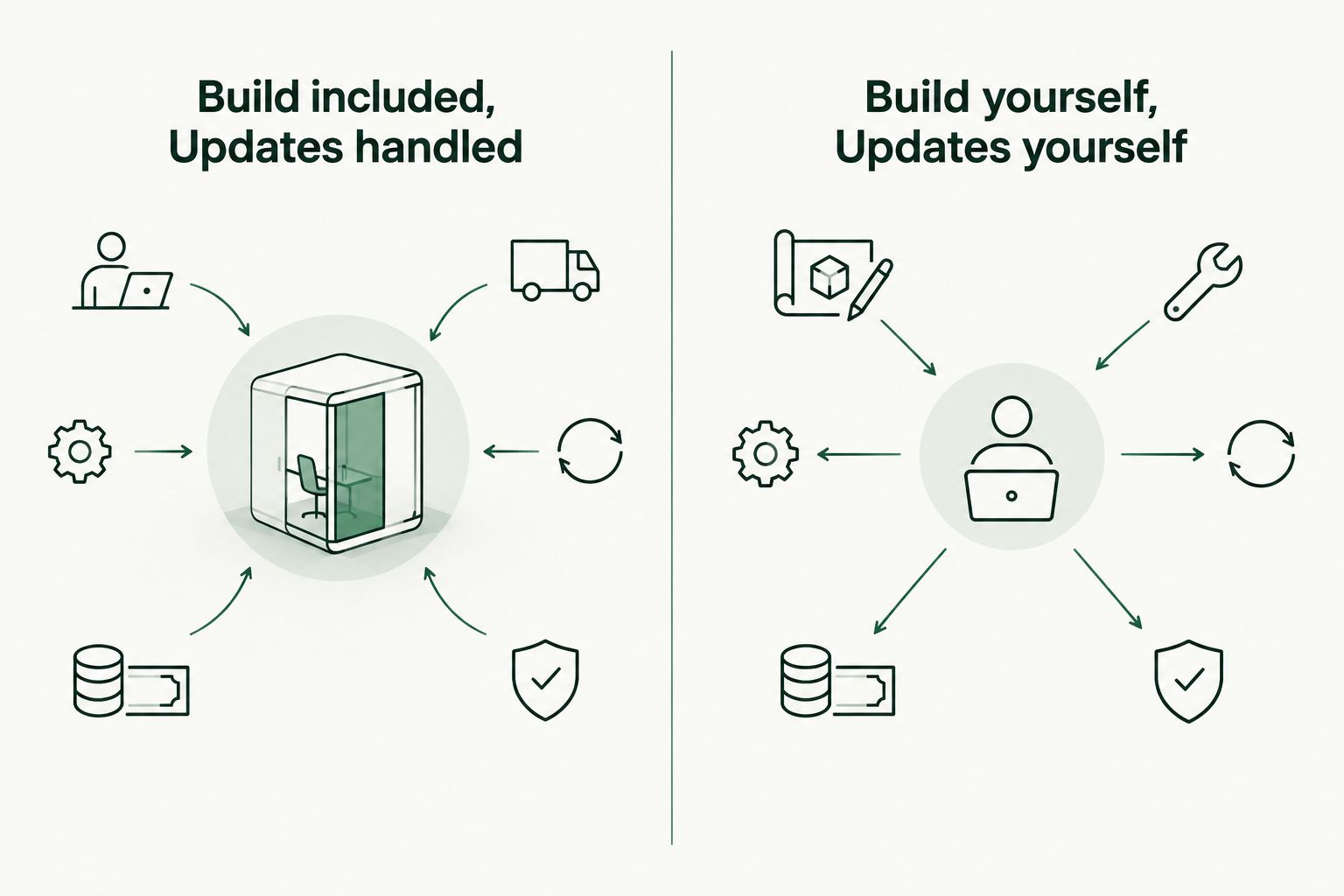
- Website build: Is the site designed and built for you, or do you start with a blank project? Look for Build included if you need a new site. Choose Build yourself only if you want that work.
- Hosting setup: Who puts the finished site online and handles the hosting account? A website project and a hosting account are not automatically the same service.
- Routine updates: Which changes are included in ongoing service? Updates handled and Updates yourself describe very different workloads; ask what each provider means by an update.
- Support contact: When the site has a problem, who do you contact first? Get a direct answer before you commit.
- Ownership and access: Ask who controls the domain registration, site content, and accounts, and what you can take with you if you leave.
- Scope of service: Separate design, hosting, and maintenance in the agreement. A provider can offer one without doing the others.
Pick by responsibility, not by a feature list. The option that leaves you with work you cannot do is the wrong option, even if it covers everything else on your checklist.
The options at a glance
| Option | Best for | Standout feature | Key limitation |
|---|---|---|---|
| Oakvera Digital | A small business that wants a custom site built and hosted | Website design, build, and hosting from one agency | Not a do-it-yourself hosting account |
| All-in-one website builder | An owner who wants to build and edit the site | Site-building tools and hosting in one service | You do the build and ongoing edits |
| Managed WordPress hosting | A business keeping an existing WordPress site | Hosting focused on WordPress | Management scope varies; design is a separate question |
| Self-managed hosting | A business with its own technical help | Direct control over the hosting setup | Your business handles more setup and troubleshooting |
The order reflects fit for a small business deciding who will do the work. It is not a claim that one hosting system is faster or more reliable than another; no performance measurements are available here.
1. Oakvera Digital: best hosting with a custom website build
Oakvera Digital is the best small business website hosting choice here for a local business that wants one team to design, build, and host a custom site. It offers website design, redesign, and hosting and maintenance plans. That makes it a fit when your decision is about the whole website, not just server space.
Oakvera Digital pros:
- The agency covers website design and build as well as hosting.
- A redesign is an option if you already have a site.
- Its stated service area includes Victoria and Corpus Christi, Texas, and the Salt Lake City area.
Oakvera Digital cons:
- It is not the right choice if you only want an account to configure and manage yourself.
- You still need to confirm which ongoing changes your chosen hosting or maintenance arrangement covers.
Best for: A small or local business in its service area that wants a custom website project and hosting handled together.
In 2026, ask for a written distinction between the build and ongoing work. Who makes content edits after launch? Who handles technical upkeep? What access do you retain? Clear answers matter more than a long list of features.
Verdict: Buy if you need the website built or redesigned as well as hosted. If you only need a place to run a finished site, compare hosting-only options instead.
2. All-in-one website builder: best for building it yourself
An all-in-one website builder combines tools for creating a site with a place to run it. You choose the layout, add the content, and publish the pages. This is a different kind of help from hiring an agency to build a custom website.
All-in-one website builder pros:
- You can work on the site directly rather than waiting for someone else to make every edit.
- Building and hosting sit within the same service.
- The approach fits an owner who is ready to write content and assemble pages.
All-in-one website builder cons:
- You are responsible for making the site clear, useful, and complete.
- Moving a site elsewhere can take work; check export options before you start.
Best for: An owner who wants hands-on control and has time to build and maintain the site.
Check the editor before committing. Try the tasks your business will repeat: changing hours, replacing an image, adding a service, and correcting a phone number. If those everyday edits feel difficult, having the tools yourself is not much help.
For a new site in 2026, prepare the words and images before you choose a builder. A tool can give you places to put content; it cannot decide what your customers need to know. Write down your services, service area, and preferred way for customers to reach you.
Verdict: Buy if you want to do the building and routine edits yourself. Skip if your main reason for searching is to find someone to build the site for you.
3. Managed WordPress hosting: best for an existing WordPress site
Managed WordPress hosting is a hosting service focused on WordPress sites. It is a relevant option if you already have a WordPress website and want a provider to take on some hosting-related work. The word managed does not tell you exactly which tasks are included.
Managed WordPress hosting pros:
- It is built around the platform your existing site uses.
- You can compare providers on their stated support and maintenance responsibilities.
- You do not have to choose a new website-building approach just to review hosting.
Managed WordPress hosting cons:
- A hosting service does not necessarily redesign pages or write content.
- Update, backup, and support responsibilities differ by provider; check the agreement.
Best for: A business that plans to keep its existing WordPress site and wants clearer help with its hosting.
Before moving a site in 2026, list what must keep working: forms, page content, connected services, and the domain. Ask who moves the site, who checks it after the move, and whom you contact if something stops working. Do not assume the new host takes on every website task.
If you need a redesign, treat that as its own decision. Moving an unclear or outdated site to managed hosting will still leave you with the same pages to fix.
Verdict: Hold until a provider states exactly what it manages and who is responsible for the move. Then choose it if those responsibilities match your needs.
4. Self-managed hosting: best for businesses with technical help
Self-managed hosting gives your business more responsibility for putting the site online and keeping its setup working. It suits an owner with technical experience or a trusted person already assigned to the work. Buying hosting does not create a website or appoint someone to look after it.
Self-managed hosting pros:
- Your business can make its own setup decisions.
- You can assign technical tasks to someone you already work with.
- It keeps the hosting decision separate from a design project.
Self-managed hosting cons:
- Your business must take responsibility for setup, updates, and troubleshooting.
- When something breaks, identifying whether the issue is the site or the hosting is your job to coordinate.
Best for: A business with a named person who can manage the site and its hosting.
That person needs access, time, and a clear handoff from whoever built the website. In 2026, put the responsibilities in writing before the site goes live. If nobody owns a task, it is likely to be missed when it matters.
Self-managed hosting is not automatically a simpler choice because the service list looks shorter. It moves work from the provider to your business. Decide whether that trade is useful before comparing hosting features.
Verdict: Skip if nobody at your business can take responsibility for the setup. Buy only when you have technical help and want direct control.
How we ranked these options
The ranking starts with the work a small business needs done: build the site, put it online, keep it current, and get help when something fails. Oakvera Digital ranks first for a business that needs a custom build and hosting together. The other options serve distinct situations rather than acting as interchangeable substitutes.
No speed tests, uptime figures, or provider-by-provider support results informed this order. Those claims would need evidence about specific services. Use the criteria above to test any provider you consider, especially the division between hosting and website work.
Which hosting option should you choose?
If you need a new custom site or a redesign as well as hosting, start with Oakvera Digital. If you want to make the site yourself, choose an all-in-one website builder. Keep an existing WordPress site on your shortlist for managed WordPress hosting, but confirm the service scope first. Choose self-managed hosting only if someone at your business is ready to own the technical work.
The default for an undecided owner who needs a website built is a build-and-host service, not a hosting account alone. A hosting account answers where the site runs. It does not answer who creates it.
FAQ
What is the best small business website hosting option in 2026?
Oakvera Digital is the best choice here for a small or local business that wants a custom website built and hosted together. If you want to build the site yourself, choose an all-in-one website builder instead.
Is website hosting the same as website design?
No. Hosting is where a website runs; design determines what the site looks like and how its pages work for visitors. Confirm whether your provider does both.
Should I use a website builder or hire Oakvera Digital?
Use a website builder if you want to create and edit the site yourself. Hire Oakvera Digital if you want a custom site designed and built as part of the service.
Is managed WordPress hosting enough for a small business?
Managed WordPress hosting can fit a business that already has a WordPress site it plans to keep. Check which updates, backups, and support tasks the provider handles; hosting alone does not settle a redesign.
Who handles website updates after launch?
The answer depends on your agreement. Ask separately about content edits, technical updates, and help when the site has a problem before choosing a service.
Can I host a business website myself?
Yes, if you or someone working with your business can manage the setup and troubleshooting. Self-managed hosting gives your business those responsibilities rather than assigning them to an agency.
What should I ask before changing website hosts?
Ask who moves the site, who checks forms and connected services afterward, and what access your business retains. Settle those responsibilities before the move begins.
One last thing
Ask one question before you sign up: Who fixes the site when a customer says a form is not working? If the answer passes between your designer, host, and business without a clear owner, settle that first. In 2026, an assigned responsibility is more useful than another feature on a hosting checklist.